Table of Contents
- Step 1: Prepare Your Old Electronics for Disposal
- Step 2: How to Wipe Data From Old Electronics Before You Let Them Go
- Step 3: Electronics Recycling Drop-Off Locations Near You
- Step 4: Where to Donate Used Electronics That Still Work
- Step 5: How to Dispose of Old TVs, Monitors, and Other Large Devices
- What You Cannot Put in the Trash (and Why It Matters)
- Conclusion: Pick the Right Path for Every Device
- Frequently Asked Questions
Last Updated: October 12, 2026
Step 1: Prepare Your Old Electronics for Disposal
Learning how to dispose of old electronics starts before you load the car to dispose of old electronics. Prep work protects your data, keeps workers safe, and speeds up drop-off.
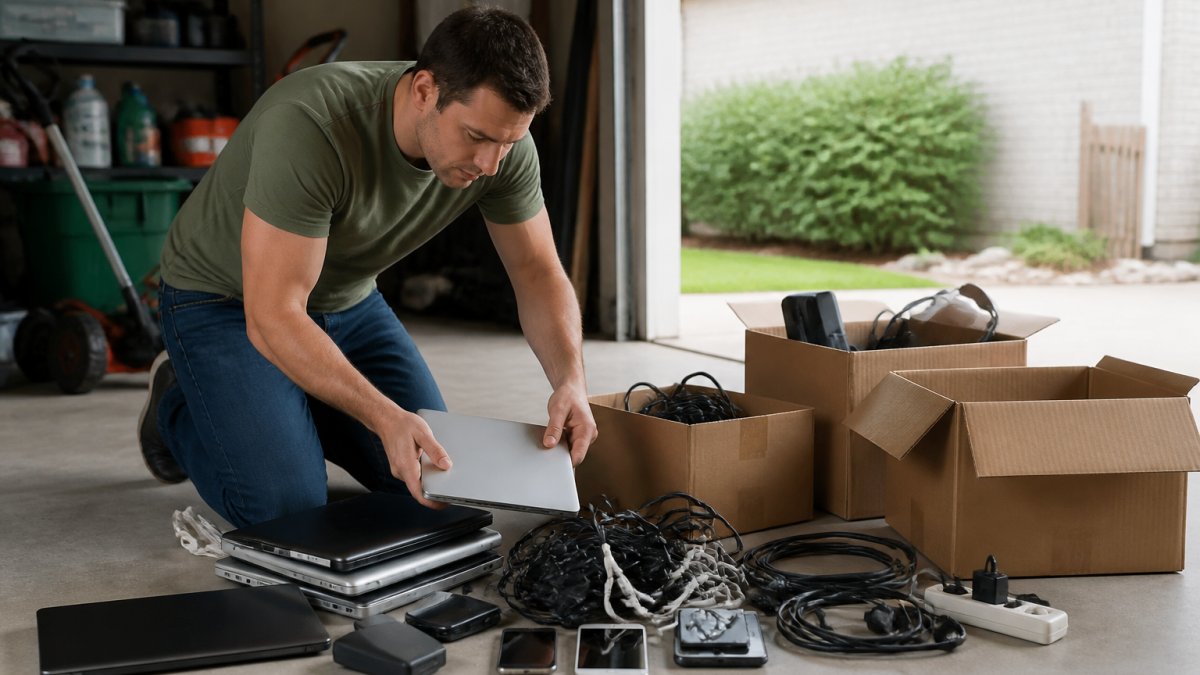
At Hoosier Junk Daddy, we have hauled electronics out of garages, basements, and offices for nearly five years. The smoothest jobs share one thing: ten minutes spent sorting and checking devices first.
Gather Cables, Accessories, and Remotes
Round up everything that goes with each device before you box it: chargers, power cords, remotes, docking stations, and the original box. Many recycling programs accept accessories with the device, and loose cables get tangled and tossed, meaning more waste and less recovery. Sort items into three piles: recycle, donate, and trash.
- Keep the power adapter with its device. Recyclers sort by device type, and a matched charger tells them the unit is complete rather than a stripped shell.
- Bag small accessories separately. A zip-top bag of earbuds, styluses, and SD cards keeps them from falling through conveyor gaps at a sorting facility.
- Leave the original box out of the recycle pile. Cardboard goes in curbside recycling; the foam inserts and plastic trays usually do not. Break the box down and bin it separately.
Check for Leaking Batteries or Physical Damage
Look over every device for swollen batteries, cracked screens, or burn marks. A swollen lithium-ion battery can catch fire if punctured or crushed in transit, and a fire in a curbside truck or recycling facility is the most common reason loads get rejected.
How to tell a battery is a problem, not just old:
- The back cover or trackpad is bulging, or the device no longer sits flat on a table
- The screen is lifting away from the frame on a phone or tablet
- You can smell a sweet, chemical, or solvent-like odor near the device
Any one of those signs means the device needs separate handling. Do not tape it shut, remove the battery yourself on a sealed device, or pack it with anything else.
How to handle a damaged or swollen device:
- Move it away from anything flammable, paper, cardboard, curtains, boxes.
- If safe, place it in a metal or ceramic container or on a non-flammable surface like concrete. Never a plastic bin.
- If it is smoking, sparking, or hissing, get away and call 911. Do not move it.
- For a swollen but stable device, contact your county’s household hazardous waste program or a certified recycler and ask whether they accept damaged lithium-ion batteries. Many drop-off bins do not.
- Some big-box retailers and battery stores accept damaged lithium-ion packs even when they will not take the whole device. Call first and describe the condition.
Never pack a damaged lithium-ion battery loosely with other electronics, and never put it in curbside trash or a standard recycling bin. A punctured cell can spark a fire in your trunk, in a garbage truck, or on a sorting line, and many drop-off sites will turn away an unsorted load that contains one.
Sort by What Happens Next, Not by Room
A common mistake is sorting by where the device lives, garage stuff in one box, office stuff in another. Sort by destination instead, because that determines how you pack and where you drive.
- Reuse pile: powers on, holds a charge, screen and ports work. Goes to donation or trade-in.
- Recycle pile: does not power on or is too old to be useful, but is intact and undamaged. Goes to a certified recycler or retail take-back.
- Special-handling pile: swollen, leaking, cracked, or burned. Goes to a hazardous waste site or a recycler that explicitly accepts damaged batteries.
Keeping these four piles separate saves a second sort at drop-off and prevents the one mistake that gets a whole load refused: a damaged battery buried among fine electronics.
Step 2: How to Wipe Data From Old Electronics Before You Let Them Go
Wiping your data is the most important step, and the one most people skip. A factory reset alone does not always erase everything, and your personal information has real value to a thief. Take the extra five minutes per device.
Phones, Tablets, and Computers
Sign out of your accounts first, then erase the device, remote locks can block a full wipe.
- Back up anything you want to keep
- Sign out of iCloud, Google, or your Microsoft account
- Remove SIM and memory cards
- Run a factory reset or full disk wipe
- Confirm the device boots to a setup screen
For computers, a full drive wipe is stronger than deleting files. If the machine still works, you can also pull the drive and keep it.
Smart TVs, Printers, and Routers
Smart TVs, printers, and routers store Wi-Fi passwords and account logins. Reset each through its settings menu before it leaves your house.
- Smart TV: factory reset clears apps and streaming logins
- Printer: reset network settings and remove saved fax or scan data
- Router: hold the reset button, then confirm the admin password is gone
Before you wipe a computer, check whether the drive is easy to remove. Pulling and keeping the drive is faster than a software wipe and gives you a backup you control. Resell or recycle the rest of the machine without worry.
Step 3: Electronics Recycling Drop-Off Locations Near You
Finding a drop-off spot takes about five minutes. Most people have three or four options within a short drive.
Search your county’s solid waste district website first, many run permanent drop-off locations or seasonal collection events. Big-box retailers and office supply stores often run take-back programs for computers, printers, and small devices too.
Call ahead and ask three questions:
- What items do you accept, and what do you refuse?
- Is there a fee, and is it per item or per pound?
- Do you require an appointment?
For a certified recycler, look for a facility that follows a recognized certification standard rather than a scrap yard that simply pays cash. The EPA’s guidance on electronics donation and recycling explains how to choose a responsible recycler and what questions to ask before you hand over a device.
Step 4: Where to Donate Used Electronics That Still Work
Working electronics should be reused before they are recycled, reuse keeps a device alive for years and avoids the energy and raw materials of a replacement. But donation is not always the right first move; the best path depends on condition, resale value, and how much time you want to spend.
Pick the Right Path Before You Pick a Drop-Off
Run each working device through this quick decision:
- Worth more than the hassle? Recent phones, tablets, laptops, and game consoles hold real trade-in value. Manufacturer and carrier programs, plus buyback services, quote a price online in minutes. If the quote beats the donation tax deduction, sell it.
- Fixable for less than it is worth? A cracked screen or dead battery on an otherwise good device is often a cheap repair. A local shop can tell you in minutes. Repair first, then choose resale or donation.
- Working but low value? Older but functional desktops, monitors, printers, and TVs are better donated than sold, the resale market is thin, and refurbishing centers put them back into use.
Donation Options to Check
- Local charities and thrift stores that accept working electronics
- School districts and community centers that take computers and tablets
- Nonprofits that refurbish devices for families in need
Call before you load the car. Many donation centers test devices on the spot and turn away anything that does not power on, and some refuse CRT televisions or monitors entirely because of weight and lead content.
Prepare the Device Before You Hand It Over
Donation does not remove your responsibility for the data. A donated phone or laptop still holding your accounts is a privacy problem whether the recipient is a charity or a stranger.
- Back up anything you want to keep
- Sign out of iCloud, Google, Microsoft, and any other account tied to the device
- Remove SIM and memory cards
If the device will not power on well enough to wipe it, treat it as a recycle item, not a donation. A recycler that shreds or destroys storage is the safer path.
Get a Receipt If You Plan to Claim a Deduction
If you itemize deductions, a donation receipt matters. Ask for one that lists the items donated and, where the organization provides it, a stated value. Rules for what counts as a qualified donation and how much you can deduct are set by the IRS, and the details depend on the value of what you gave, the IRS guidance on charitable contributions is the place to confirm the current rules before you file.
When Donation Is the Wrong Answer
Donation is not always the most responsible choice. A device that is broken, missing its power adapter, or too old to run current software often becomes waste at the receiving end, if a charity cannot use it, it may hit a landfill anyway, one step removed from you. A certified recycler that recovers metals and plastics is the better path, and you have still kept the device out of your trash.
Step 5: How to Dispose of Old TVs, Monitors, and Other Large Devices
Large devices need a different plan than a phone or laptop. Televisions and monitors contain lead and other materials that make curbside disposal illegal in many areas.
Here is how to dispose of old TVs without breaking the rules:
- Measure the screen and note the weight
- Check whether your hauler offers bulky-item pickup
- Find a drop-off site that accepts televisions and monitors
- Ask about fees, many sites charge per unit for large screens
- Get help lifting; a large TV is awkward and heavy
If it still works, donate it; if not, a certified recycler is your best path. Some areas hold periodic collection events where residents drop off televisions and monitors free of charge.
What You Cannot Put in the Trash (and Why It Matters)
Several electronics are banned from household trash in many states, and the list is longer than most people expect. Putting them in the bin can mean a fine and a rejected load at the landfill.
Items to keep out of the trash:
- Televisions and computer monitors
- Laptops, tablets, and desktop computers
- Cell phones and their batteries
The reason is simple. The EPA’s page on household hazardous waste explains why these items need special handling and how to find a local program. Many states set their own rules, so check your state environmental agency for the current list. USA.gov’s state and local recycling directory can point you to the right office.
| Device | Best Path | Why |
|---|---|---|
| Working phone or laptop | Donate or trade in | Reuse beats recycling |
| Broken phone or tablet | Certified recycler | Recovers metals safely |
| Old TV or monitor | Drop-off or collection event | Banned from trash in many states |
| Swollen battery | Hazardous waste site | Fire risk in transit |
| Printer or router | Retail take-back or recycler | Holds saved logins and data |
Conclusion: Pick the Right Path for Every Device
Sorting a garage full of old electronics can feel like a weekend project you keep putting off.
That is where Hoosier Junk Daddy comes in. We handle full-service removal, including the heavy lifting and cleanup, and we divert up to 60% of hauled items from landfills through recycling and donation.
Get started with Hoosier Junk Daddy and reclaim your space with disposal you can feel good about.
Frequently Asked Questions
What electronics should never be thrown away in the regular trash?
Never put televisions, computer monitors, laptops, cell phones, tablets, printers, or anything with a rechargeable battery in household trash. These items contain lead, mercury, cadmium, and lithium that can leach into soil and water. Many states, including Indiana, ban them from landfills. Instead, use a certified recycler, retailer take-back program, or a junk removal service that handles e-waste responsibly.
What is the best way to dispose of old electronics?
The best method depends on condition. Working devices under five years old should be donated or sold. Broken items go to a certified electronics recycler or a retailer take-back program. For large volumes, like a garage full of old computers and TVs, a full-service junk removal company can haul everything away and ensure it is recycled, donated, or disposed of properly. Always wipe your data first.
How do I remove personal information from an old phone or computer?
For phones and tablets, sign out of your accounts, then perform a factory reset. For computers, back up your files, then use the built-in reset option to remove all personal data. If the device won’t turn on, remove the hard drive and physically destroy it, or ask your recycler if they offer secure data destruction. Never rely on deleting files alone; that does not erase them.
Do electronics recycling programs charge a fee?
Some do, especially for items with cathode-ray tubes like older TVs and monitors, because recycling them is more expensive. Fees typically range from free to around $30 per item. Retailers like Best Buy may charge a fee for TV recycling but often accept smaller electronics for free. Municipal drop-off events are usually free for residents. Always check ahead so you know what to expect.